

Step 1: Choose Your Mount Colour
Start by browsing our 22 mount colours. Each one is shown clearly on screen, so you can see exactly what you're picking before moving on to the next step.
Shopping Cart
Your cart is empty.
Search Products
Please select the colour of your mount board.
Ordering picture mounts online is simple with ProCut Global. From choosing your colour to adding your mount to the cart, the whole process takes just a few minutes. To order a custom mount board for your picture frames, follow these steps:
Start by browsing our 22 mount colours. Each one is shown clearly on screen, so you can see exactly what you're picking before moving on to the next step.
Enter your outer dimensions to match the frame you're using. Then add your inner dimensions to fit your artwork or photo. You can work in millimetres, centimetres or inches, whichever you find easiest.
Your price appears automatically as soon as your dimensions are set. Then choose how many mounts you need and the total updates straight away, so there are no surprises.
Take a look at the visual of your finished mount, along with its dimensions, weight and total price. If everything looks right, add it to your cart and head to checkout.
That's all you need to design your custom mount. There is no guesswork, no waiting on quotes, just a clear process that puts you in control of the size, colour and finish of your mount from start to finish.
In our system, every custom picture mount is built around two measurements. The first one is the outer dimensions, and the second one is the inner dimensions.
Understanding how these work together makes it easy to get your mount exactly right the first time.
The outer dimensions are the overall size of your mount. It is actually the reference from the aperture size of your picture frame.
If you are designing the mount for a 50x50 cm picture frame, add outer dimensions of 50x50 cm. For a 10x10" frame, add outer dimensions of 10x10".
The inner dimensions refer to the opening cut into the mount, known as the aperture. This is the window through which your photo, print, or artwork will show.
So, it should be equal to the piece you're framing, not the frame itself.
Say you have 50x50cm picture frames and your piece of artwork measuring 28x28cm. In this case, you'd enter 50x50cm as your outer dimensions so the mount fits your frame perfectly, and 28x28cm as your inner dimensions so the opening displays your artwork exactly as intended.
Once both measurements are set, our tool will display the price and ask you to add the quantity, which is how much you want to buy.
After successfully placing the order, our expert framers will cut your mount to fit the frame on the outside and your artwork on the inside.
We offer picture mounts in 22 carefully selected colours through our standard ordering system, along with a fully made-to-measure option. Whether you're matching your mount to your artwork, your picture frame, or your interior décor, there's a colour to suit your display.
Every colour is displayed clearly in the tool itself, but here's a closer look at which one suits each best.
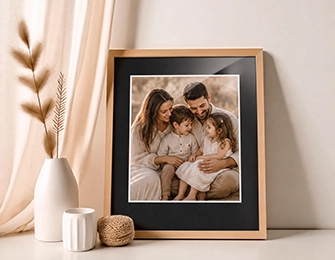
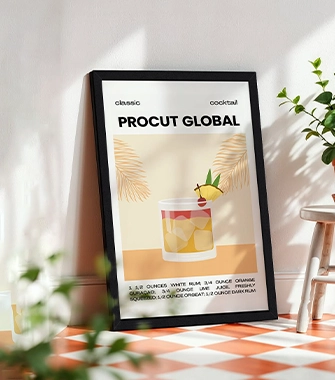
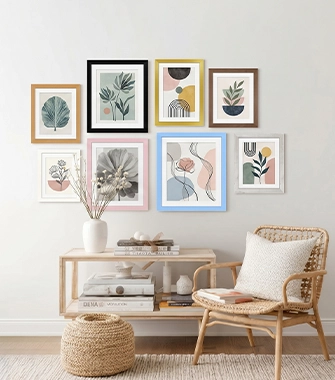
Choose the mount colour that best complements your artwork, picture frame, and overall display. Each colour brings its own character and finish, helping you create a presentation that suits your style. Pair the right mount with the perfect frame and your chosen artwork to achieve a beautifully finished result.

You can enter measurements in millimetres, centimetres, or inches. Choose the unit shown on your tape measure or ruler and enter the numbers exactly as measured.
The configurator handles the conversion and pricing calculations, helping ensure your picture mount is cut precisely to the size you need.
Best for highly precise measurements and professional specification sheets.
A practical everyday option for most UK frame and artwork measurements.
Useful when your existing frame or artwork is already measured in imperial sizes.
Getting a mount board that fits your photo frame and your artwork exactly isn't always easy with standard sizes. Our made to measure picture mounts service solves that. We give you full control over every part of the design.
You set both the outer and inner dimensions yourself, so your mount fits your photo frame and displays your artwork exactly as you want, not just close enough.
With 22 mount colours to choose from, you can match your mount to your artwork, your frame, or the room it's going in.
No waiting around for quotes. Your price updates automatically as soon as you set your dimensions, so you know exactly what you're paying before you order.
Before adding to cart, you'll see a visual of your finished mount along with its dimensions, weight, and total price, so there are no surprises at checkout.
Work in millimetres, centimetres, or inches, whichever suits you best. Our tool handles the conversion and cutting accuracy, so you don't have to.
Whether you're framing a single photo or finishing off a gallery wall, our made to measure mounts are designed to give you a precise, professional result every time.
A picture mount does more than just fill space inside a photo frame. It creates a clean border between your artwork and the frame edge. Moreover, it gives your display a professional, gallery-style finish.
Mounts are used across a wide range of framing projects, not just for traditional artwork.
Whatever you're framing, a well-chosen mount adds structure, depth, and a finished look that a frame alone can't achieve.
Here are answers to some of the most common questions about ordering bespoke picture mounts from ProCut Global.
Your outer dimensions are the mount's overall size. It should match the photo frame it needs to fit into.
Your inner dimensions are the size of the opening, or aperture, through which your photo or artwork will show. Getting both right means your mount fits your frame and displays your artwork exactly as intended.
Whichever you're most comfortable with, our tool accepts millimetres, centimetres, and inches, though most customers find cm or inches easiest to measure and enter. Just make sure you select the correct unit before submitting your dimensions.
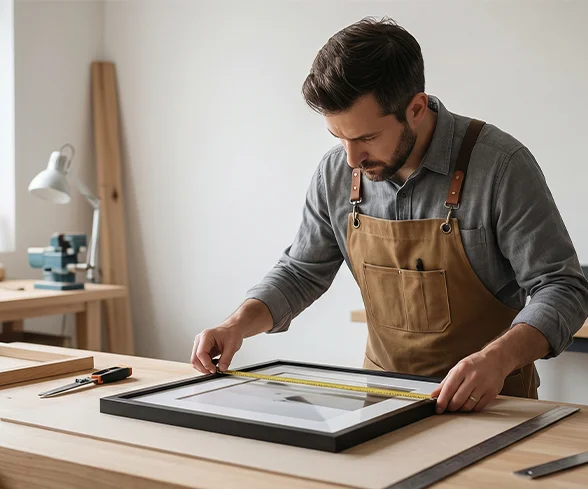
For outer dimensions, measure the inside edge of your frame(your frame's aperture), the space your mount needs to fill. For inner dimensions, measure your photo, print, or artwork itself, not the photo frame.
Measuring twice before entering your sizes helps avoid mistakes.
Yes. As long as you know the internal size(aperture) of your existing frame, you can enter that as your outer dimensions, and the mount will be cut to fit it.
Do you offer mounts with more than one aperture?
Not through this tool currently. Multi-aperture mounts are available as part of our Multi Photo Frames collection, rather than as a standalone made-to-measure option.
If you'd like to display more than one photo or piece within a single frame, that's the best place to look.
Yes. Once your dimensions are set, you can choose your quantity and the price updates automatically. If you need mounts in different sizes or colours, design each mount separately and add them to your cart accordingly.
After adding those different mounts to your cart, you can complete the order for all of them together.
Not through this tool currently. Multi-aperture mounts are available as part of our Multi Photo Frames collection, rather than as a standalone made-to-measure option.
If you'd like to display more than one photo or piece within a single frame, that's the best place to look.
Take your time measuring before you order, since mounts are cut precisely to the dimensions you provide. If you're measuring for a frame you already own, measuring the inside edge rather than the outer frame will give you the most accurate outer dimensions.